These controls help you collect evidence for your own audits. ReclaimLLM’s own SOC 2 Type II is targeted for Q4 2026; it is not yet certified.
Prepare audit evidence
1
Check control health
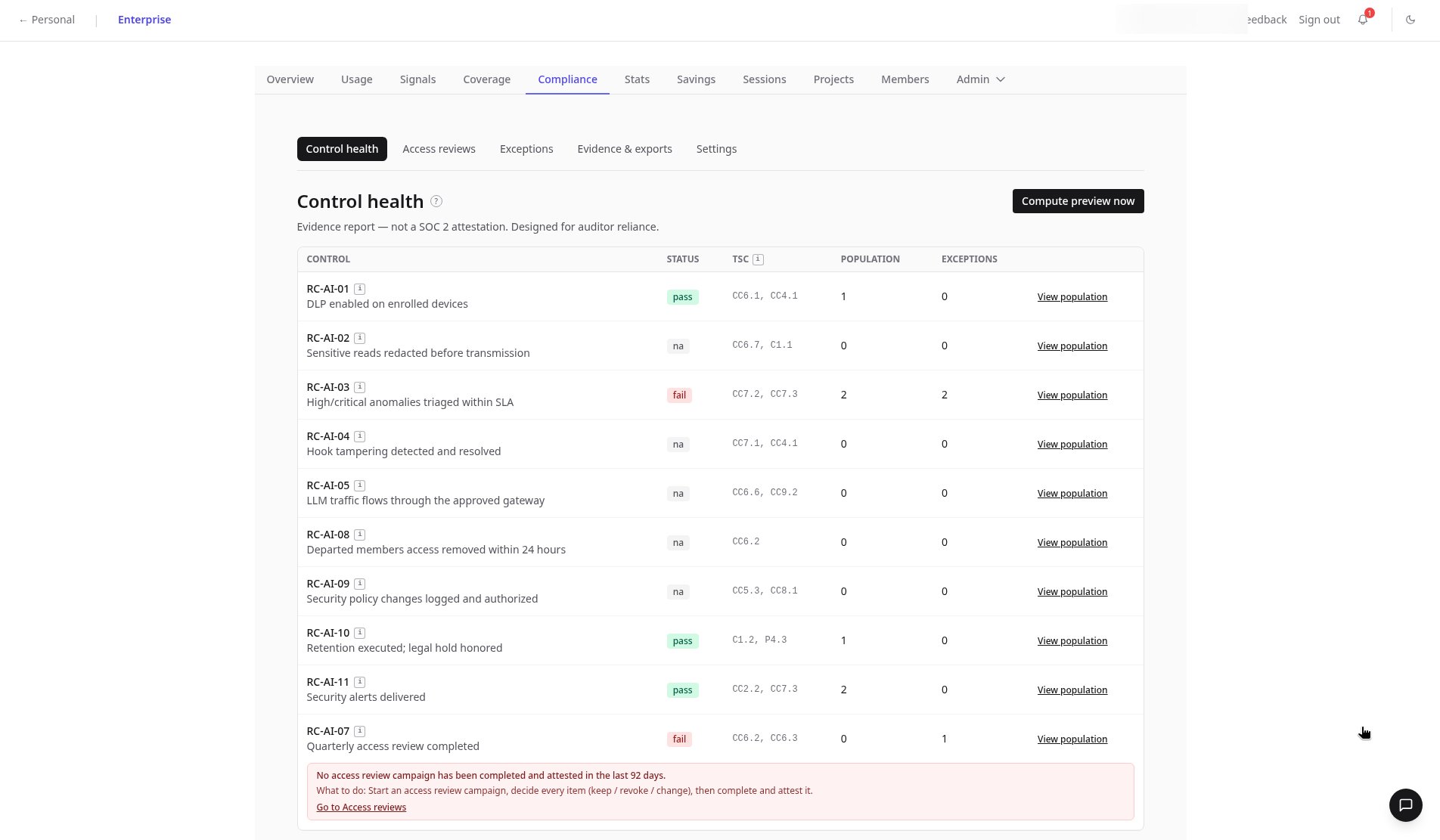
The Control health tab lists each RC-AI control with pass, fail, or n/a status, TSC mapping, and population and exception counts. Failed controls, like an overdue quarterly access review, are flagged.
2
View a control's population
Click View population to see the evidence entries behind a control. Entries contain no session content.
3
Log risk exceptions
Accept a known risk with Request exception in the Risk exceptions register.
4
Generate an evidence pack
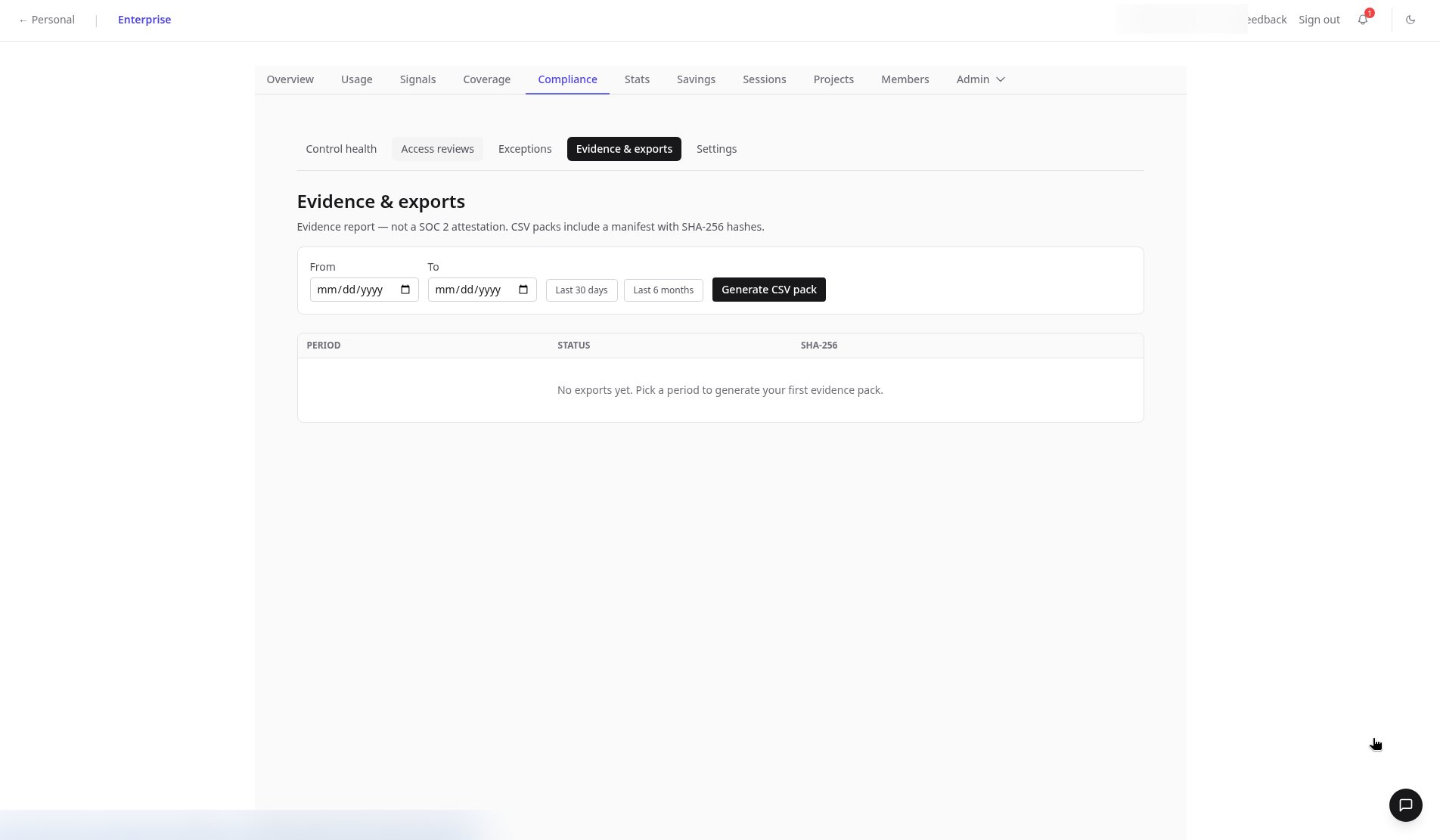
In Evidence & exports, pick a period and click Generate CSV pack. Packs include a SHA-256 manifest so reviewers can verify nothing changed.
5
Run access reviews
Use Create campaign in Access reviews to review gateway keys, members, and API keys.
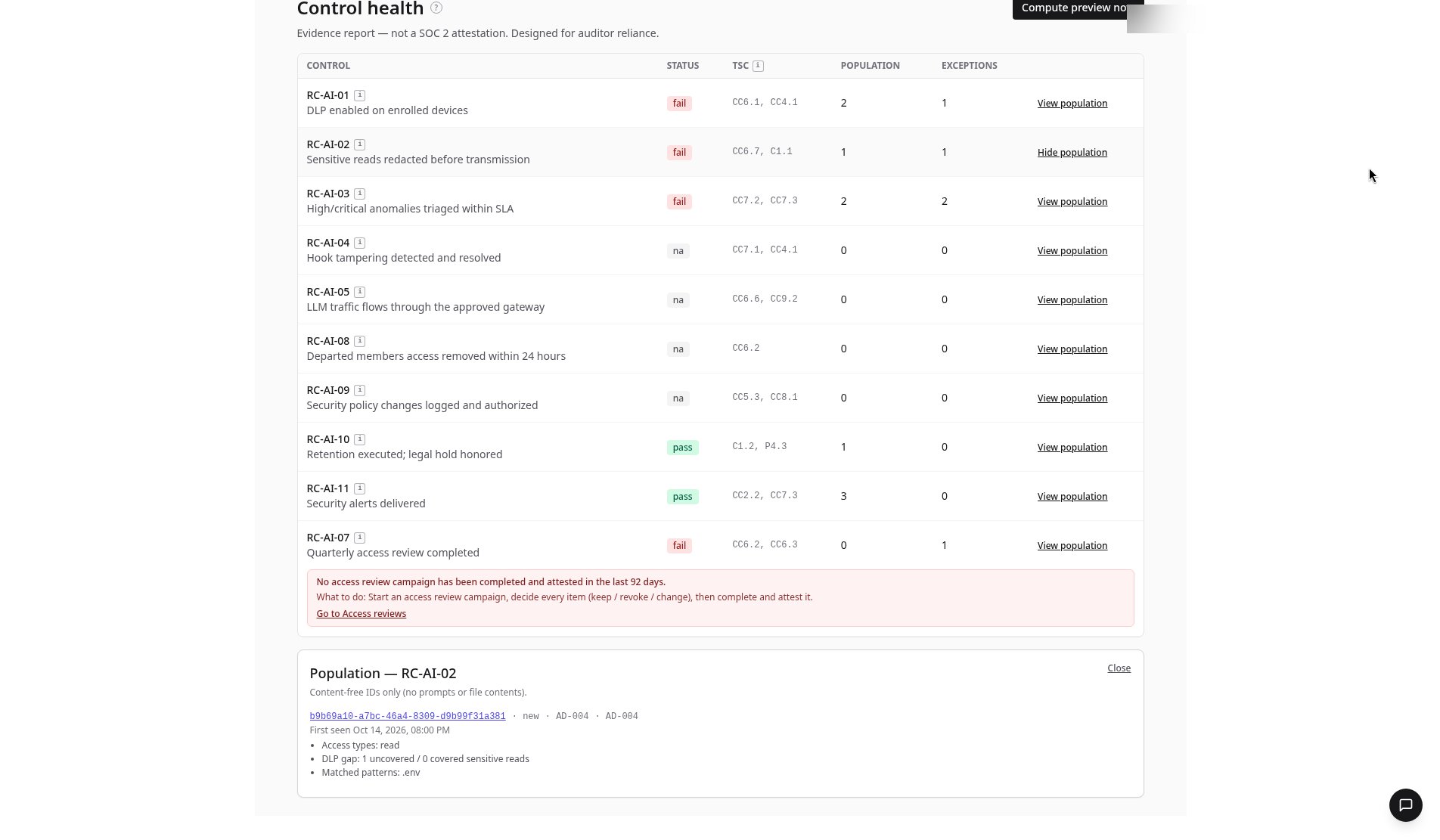
Example: RC-AI-02 population
RC-AI-02 checks that sensitive reads are redacted before transmission. Opening View population shows a linked session,b9b69a10-a7bc-46a4-8309-d9b99f31a381, with status new and flagged AD-004:
The DLP gap means one sensitive read happened that no policy covered. One click opens the session itself.
FAQ
Is ReclaimLLM SOC 2 certified?
Is ReclaimLLM SOC 2 certified?
Not yet. ReclaimLLM’s SOC 2 Type II is targeted for Q4 2026. The Compliance page helps you gather evidence about your own AI coding controls.
What is in an evidence pack?
What is in an evidence pack?
CSV files for the period you pick, with a SHA-256 manifest so reviewers can confirm the files haven’t changed.
What does a DLP gap mean in a population entry?
What does a DLP gap mean in a population entry?
It counts sensitive reads that were not covered by a policy versus those that were. In the RC-AI-02 example, one .env read was uncovered.
Related
- Reference: Compliance tab
- Product: ReclaimLLM compliance