Investigate and export events
1
Set the date range
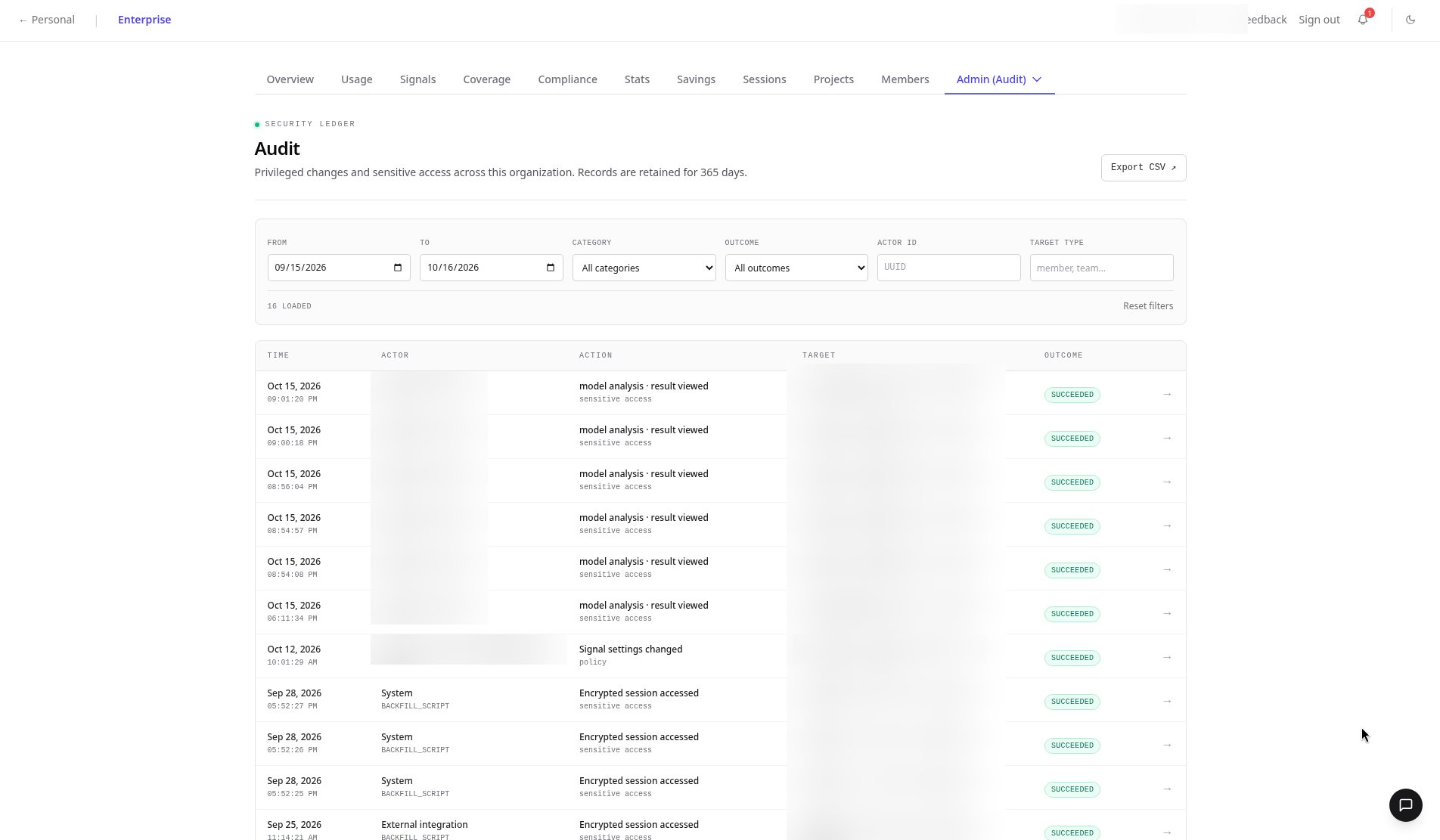
Pick the period you want to review, for example 15 Sep – 16 Oct 2026.
2
Filter the table
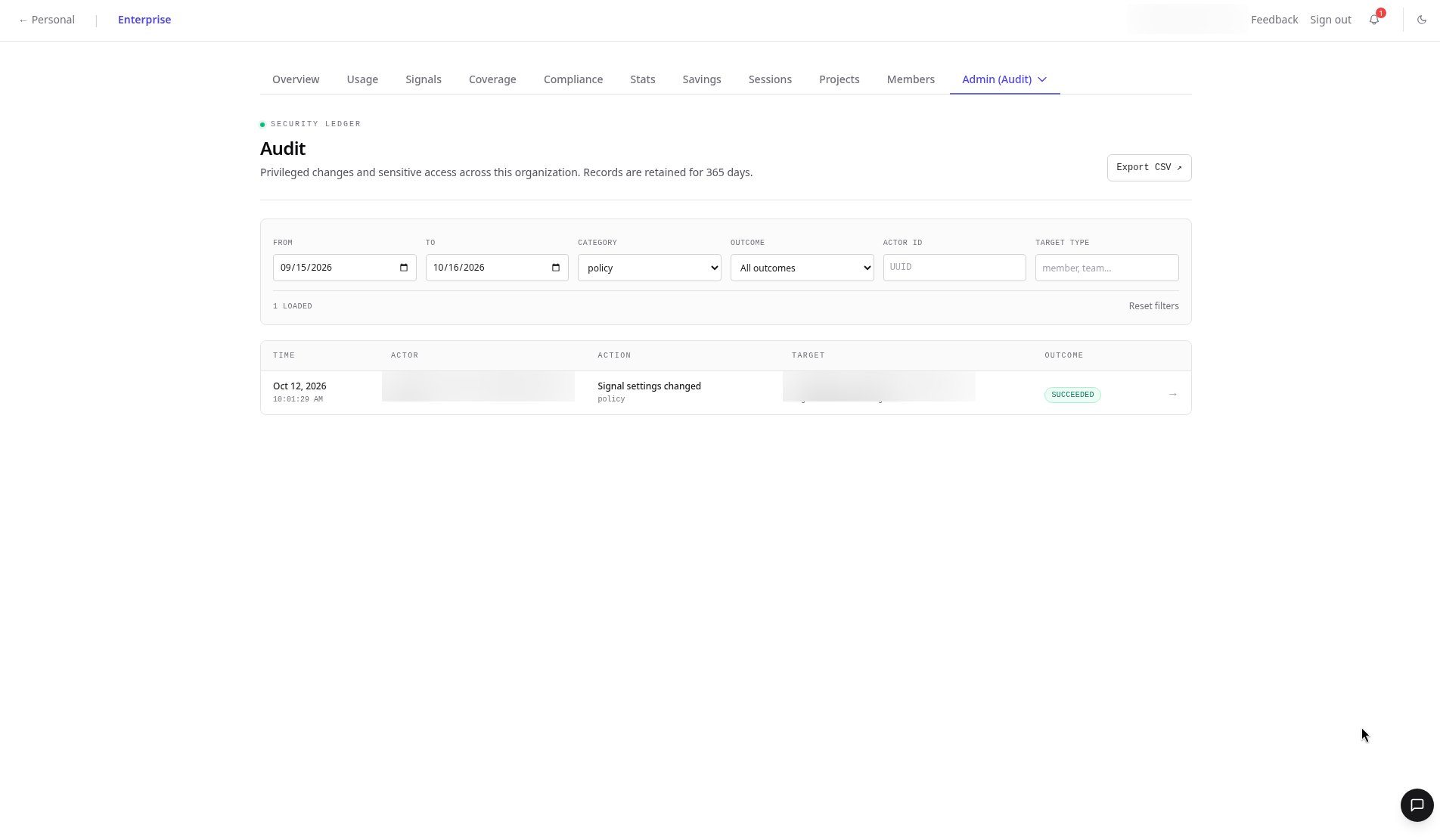
Filter by category, outcome, actor ID, or target type. Choose the Policy category to isolate policy changes.
3
Open an event
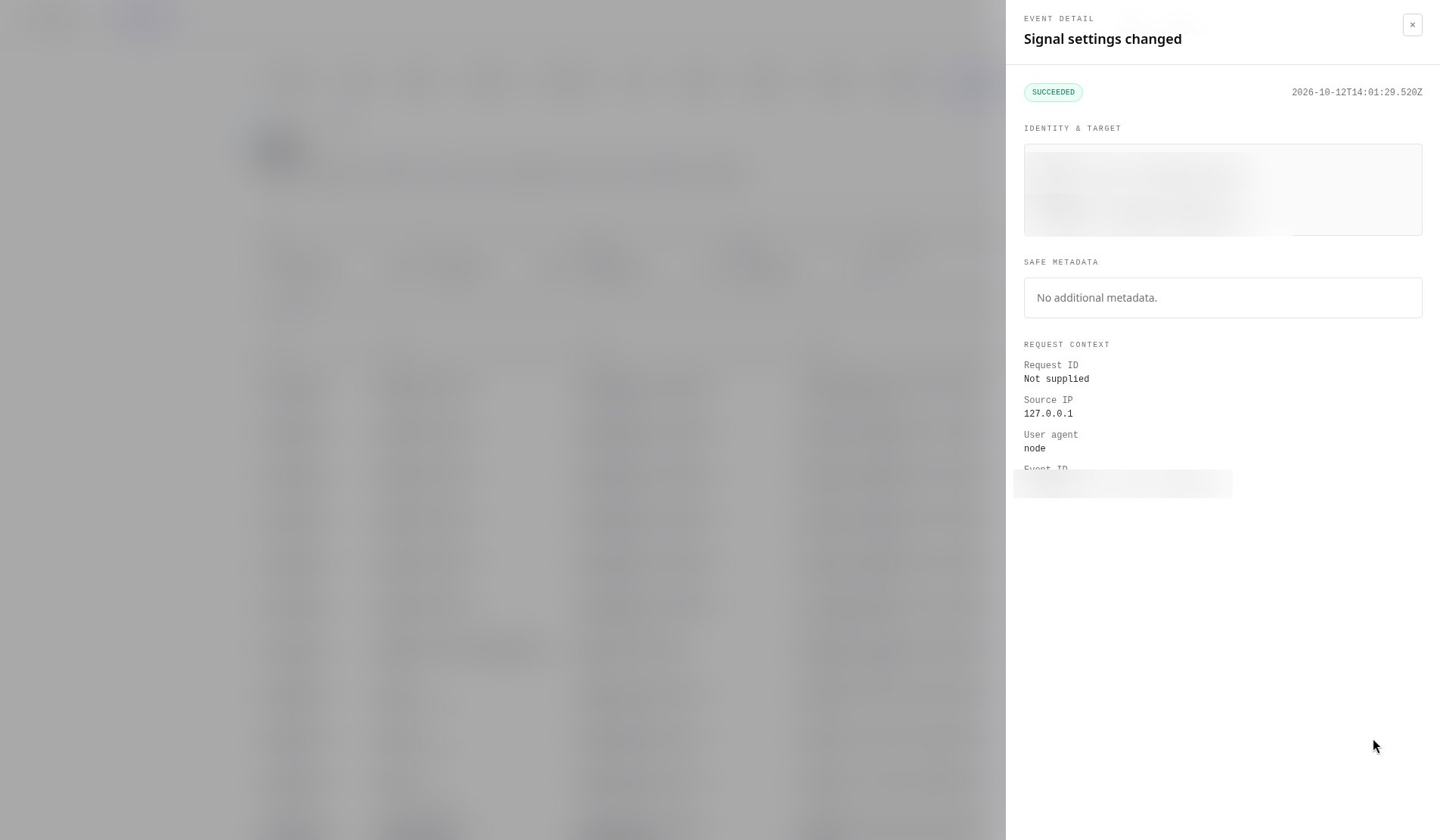
Click any event to open its detail drawer: outcome, timestamp, identity, target, metadata, and request context.
4
Export to CSV
Click Export CSV to download the filtered events for your security review.
FAQ
How long are audit events kept?
How long are audit events kept?
365 days.
Is viewing sensitive data logged?
Is viewing sensitive data logged?
Yes. For example, viewing model analysis results is recorded as its own sensitive-access event, as is encrypted session access.
Can I export the audit log?
Can I export the audit log?
Yes. Apply filters and click Export CSV.
Related
- Reference: Audit tab
- Product: Security & compliance