> ## Documentation Index
> Fetch the complete documentation index at: https://docs.reclaimllm.com/llms.txt
> Use this file to discover all available pages before exploring further.

# Create Teams and Add Members for AI Coding Access

> Create a team, add members by email, adjust roles from the member list, and open each team's Signals view in ReclaimLLM.

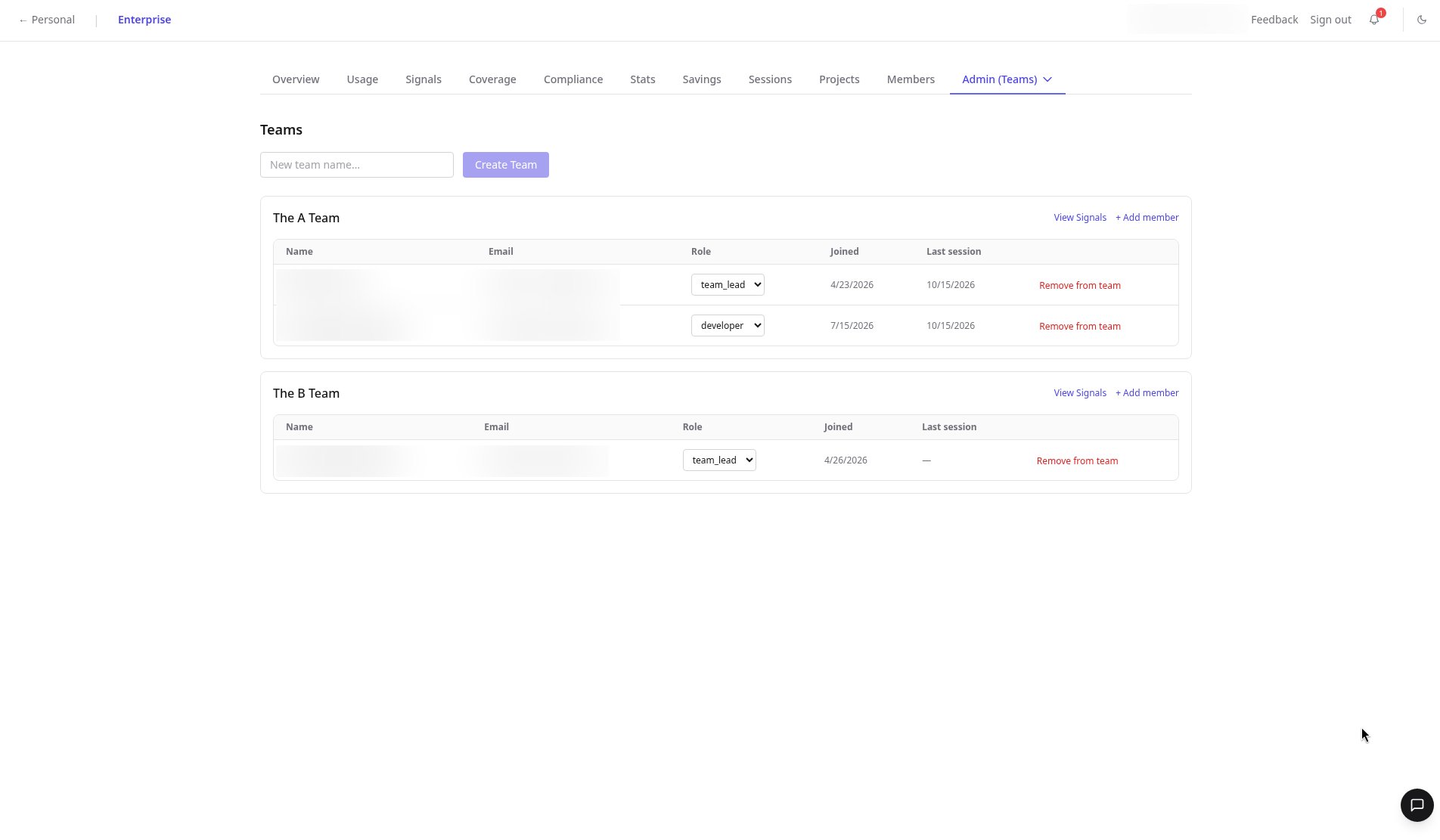
Rolling out AI coding tools means organizing who uses what. The Teams page lets admins create teams, add members by email, set roles, and open a Signals view scoped to each team.

<div style={{ position: "relative", paddingBottom: "56.25%", height: 0, overflow: "hidden", borderRadius: "12px" }}>
  <iframe src="https://www.youtube.com/embed/k2ynkuaOZgU" title="Manage AI coding teams in ReclaimLLM" style={{ position: "absolute", top: 0, left: 0, width: "100%", height: "100%" }} frameBorder="0" allow="accelerometer; autoplay; clipboard-write; encrypted-media; gyroscope; picture-in-picture" allowFullScreen />
</div>

## Set up a team

<Steps>
  <Step title="Create the team">
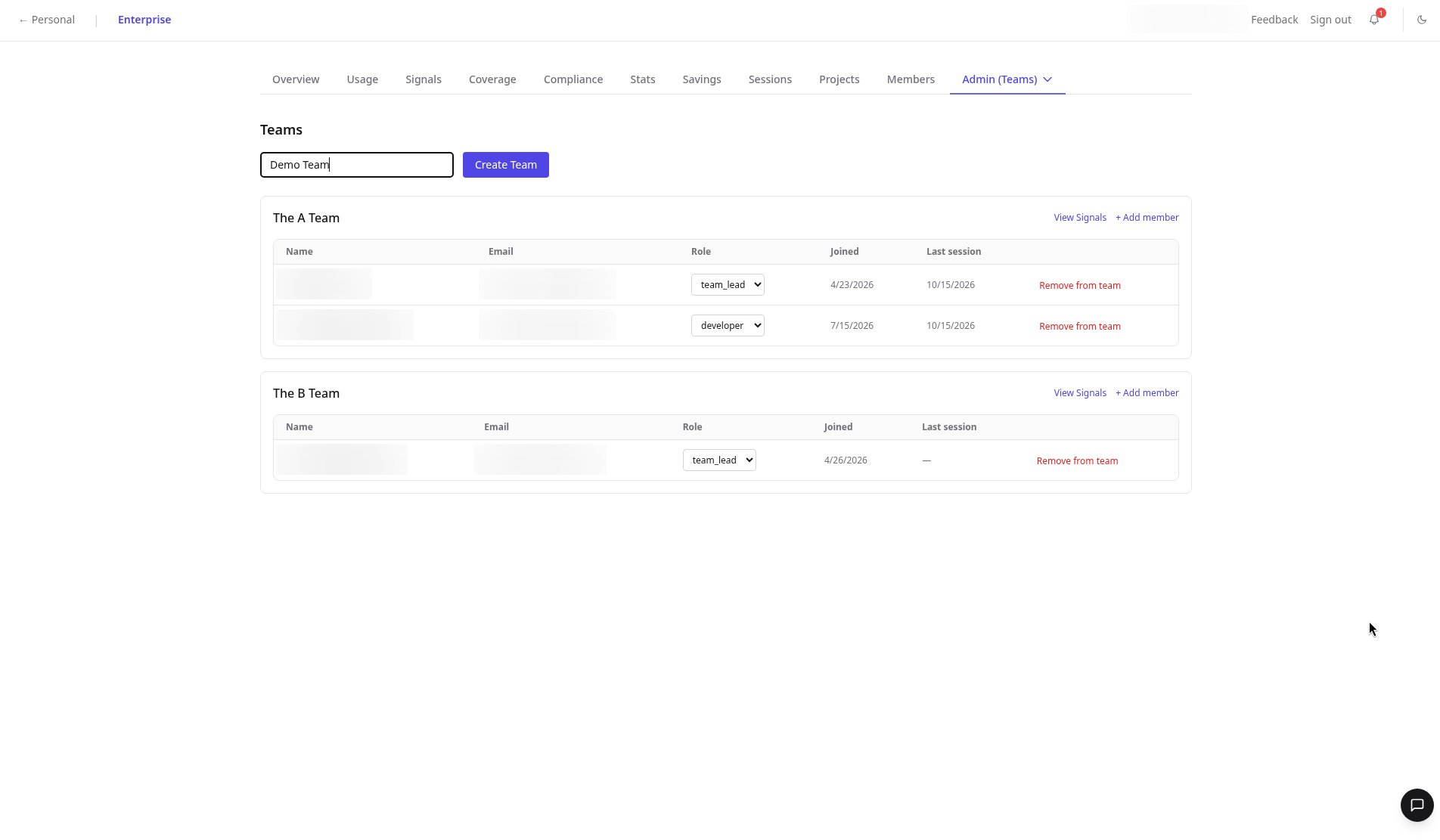
    At the top of the Teams page, type a name in the inline field and click **Create Team**.
  </Step>

  <Step title="Add a member">
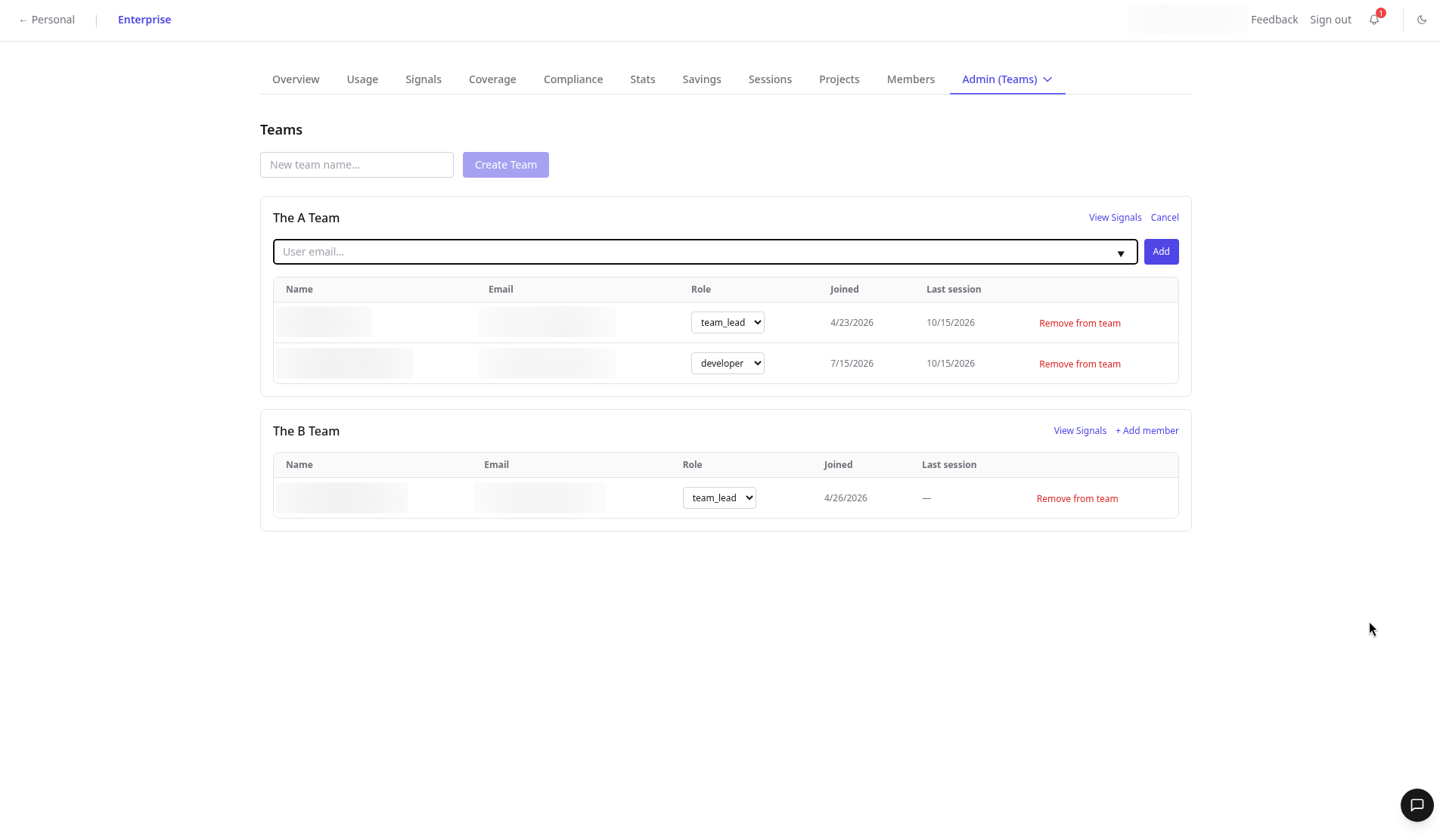
    On the team's card, click **Add member**, enter the teammate's email, and click **Add**.
  </Step>

  <Step title="Adjust their role">
    The add form has no role selector. Change the role afterwards from the **Role** dropdown on the member's row.
  </Step>

  <Step title="Open team Signals">
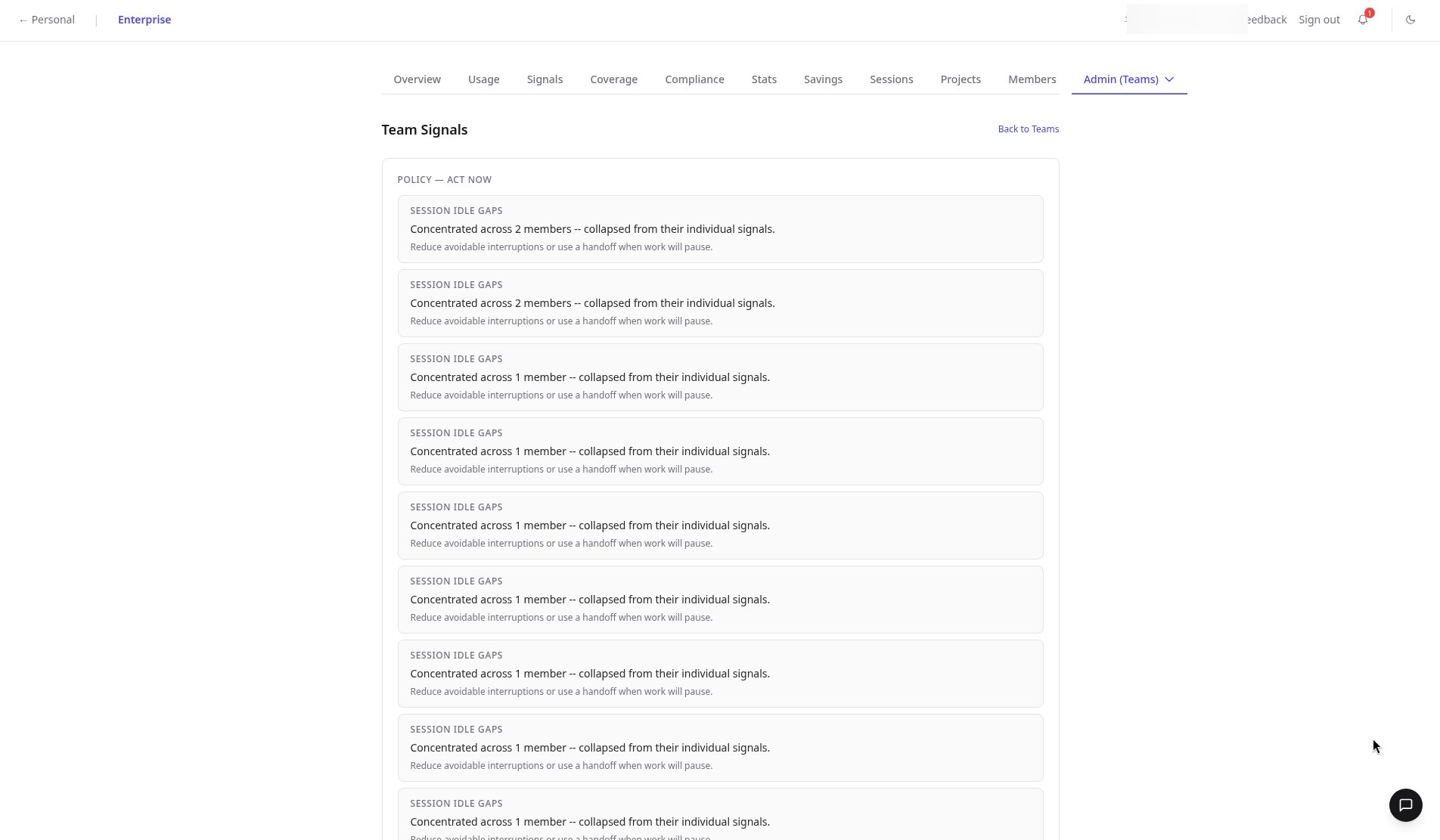
    Click **View Signals** to see issues concentrated in that team, or a clean empty state when there's nothing to act on.
  </Step>
</Steps>

<Frame>
  <img src="https://mintcdn.com/rclm/WtR7t-MmlL9aspx4/images/admin/teams/06-create-team-form.png?fit=max&auto=format&n=WtR7t-MmlL9aspx4&q=85&s=6afeb8b31e0316d93e7f81320159bb3d" alt="Inline Create Team field at the top of the Teams page with Demo Team typed in" width="1904" height="1111" data-path="images/admin/teams/06-create-team-form.png" />
</Frame>

<Frame>
  <img src="https://mintcdn.com/rclm/WtR7t-MmlL9aspx4/images/admin/teams/05-add-member-form.png?fit=max&auto=format&n=WtR7t-MmlL9aspx4&q=85&s=ba543c1f8afaed19a913d0934ae5395f" alt="Add member form on The A Team with a single user email field and Add button, names and emails blurred" width="1904" height="1111" data-path="images/admin/teams/05-add-member-form.png" />
</Frame>

<Frame>
  <img src="https://mintcdn.com/rclm/WtR7t-MmlL9aspx4/images/admin/teams/01-teams-list-members.png?fit=max&auto=format&n=WtR7t-MmlL9aspx4&q=85&s=44f66c0b0f4e586cfe9e78a914d9a6a7" alt="Teams admin page with per-team member tables, role selectors, joined and last session dates and View Signals, names and emails blurred" width="1904" height="1111" data-path="images/admin/teams/01-teams-list-members.png" />
</Frame>

<Frame>
  <img src="https://mintcdn.com/rclm/WtR7t-MmlL9aspx4/images/admin/teams/02-a-team-signals.png?fit=max&auto=format&n=WtR7t-MmlL9aspx4&q=85&s=fae5883155ac2490fb72547663c3ecba" alt="Team Signals for The A Team showing session idle gap patterns concentrated across members" width="1904" height="1111" data-path="images/admin/teams/02-a-team-signals.png" />
</Frame>

## FAQ

<AccordionGroup>
  <Accordion title="Can I set a role when adding a member?">
    Not in the add form. Add the member by email, then change their role from the Role dropdown on their row.
  </Accordion>

  <Accordion title="What does an empty team Signals view mean?">
    Nothing is concentrated in that team, so no action is needed.
  </Accordion>

  <Accordion title="Can I remove someone from a team?">
    Yes. Use Remove from team on the member's row.
  </Accordion>
</AccordionGroup>

## Related

* Reference: [Teams tab](/enterprise/dashboard/teams)
* Product: [Enterprise overview](https://reclaimllm.com/enterprise-overview)


This documentation is built and hosted on [Mintlify](https://mintlify.com), a developer documentation platform.