> ## Documentation Index
> Fetch the complete documentation index at: https://docs.reclaimllm.com/llms.txt
> Use this file to discover all available pages before exploring further.

# Detect Risky AI Coding Sessions with Signals

> Use ReclaimLLM Signals to find where AI coding issues concentrate, triage anomaly reports by severity, and understand each anomaly code.

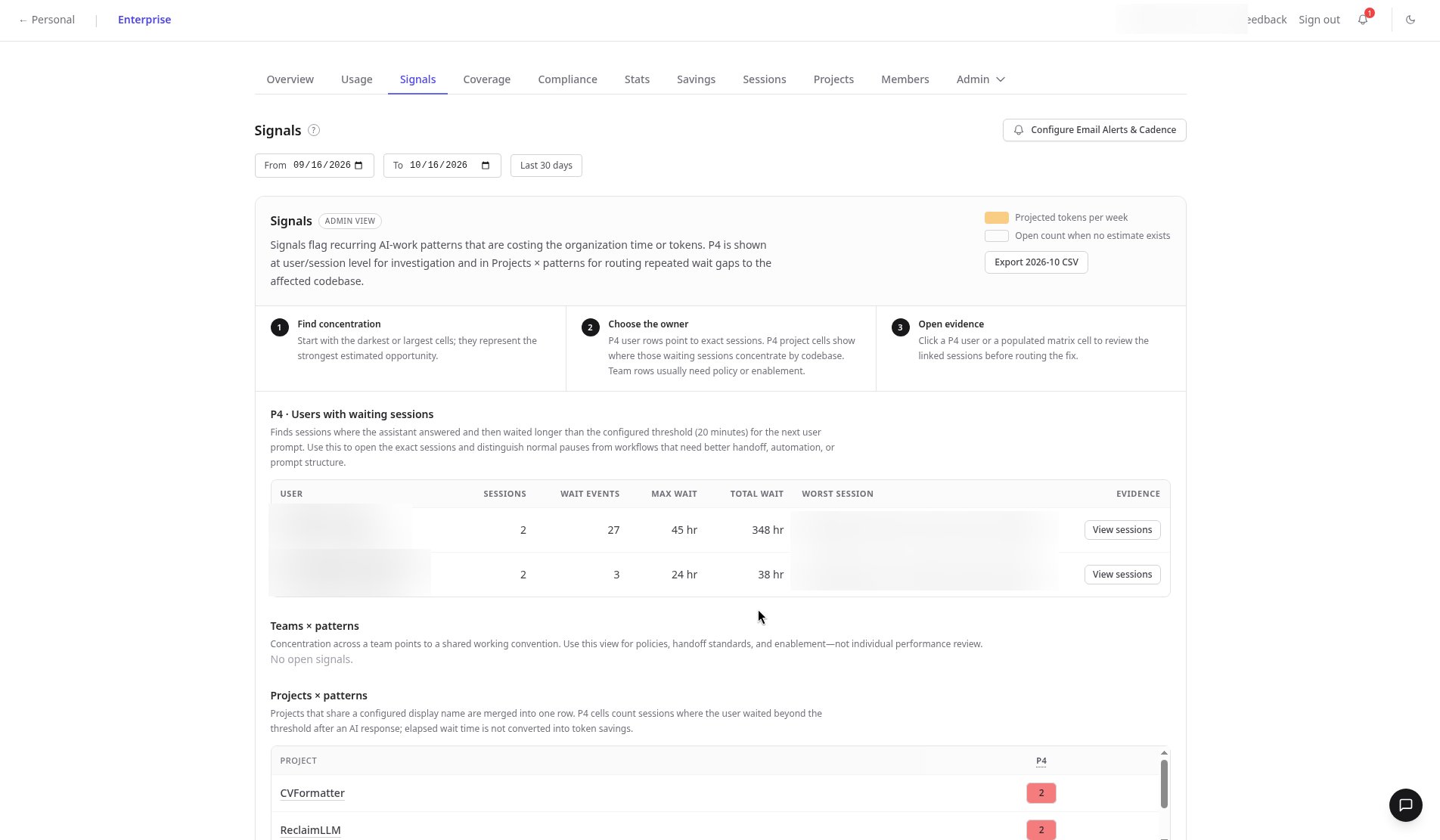
When your team codes with AI assistants, problems hide in hundreds of sessions. Signals shows you where to look: the overview for the last 30 days walks you from where issues concentrate, to who owns them, to the evidence sessions behind them.

<div style={{ position: "relative", paddingBottom: "56.25%", height: 0, overflow: "hidden", borderRadius: "12px" }}>
  <iframe src="https://www.youtube.com/embed/B9rzsysixlw" title="Detect risky AI coding sessions with ReclaimLLM Signals" style={{ position: "absolute", top: 0, left: 0, width: "100%", height: "100%" }} frameBorder="0" allow="accelerometer; autoplay; clipboard-write; encrypted-media; gyroscope; picture-in-picture" allowFullScreen />
</div>

## Triage signals

<Steps>
  <Step title="Find where issues concentrate">
    Start on the Signals overview. The **Projects × patterns** matrix shows which projects keep hitting the same problem, such as long idle gaps in sessions.
  </Step>

  <Step title="Filter anomaly reports">
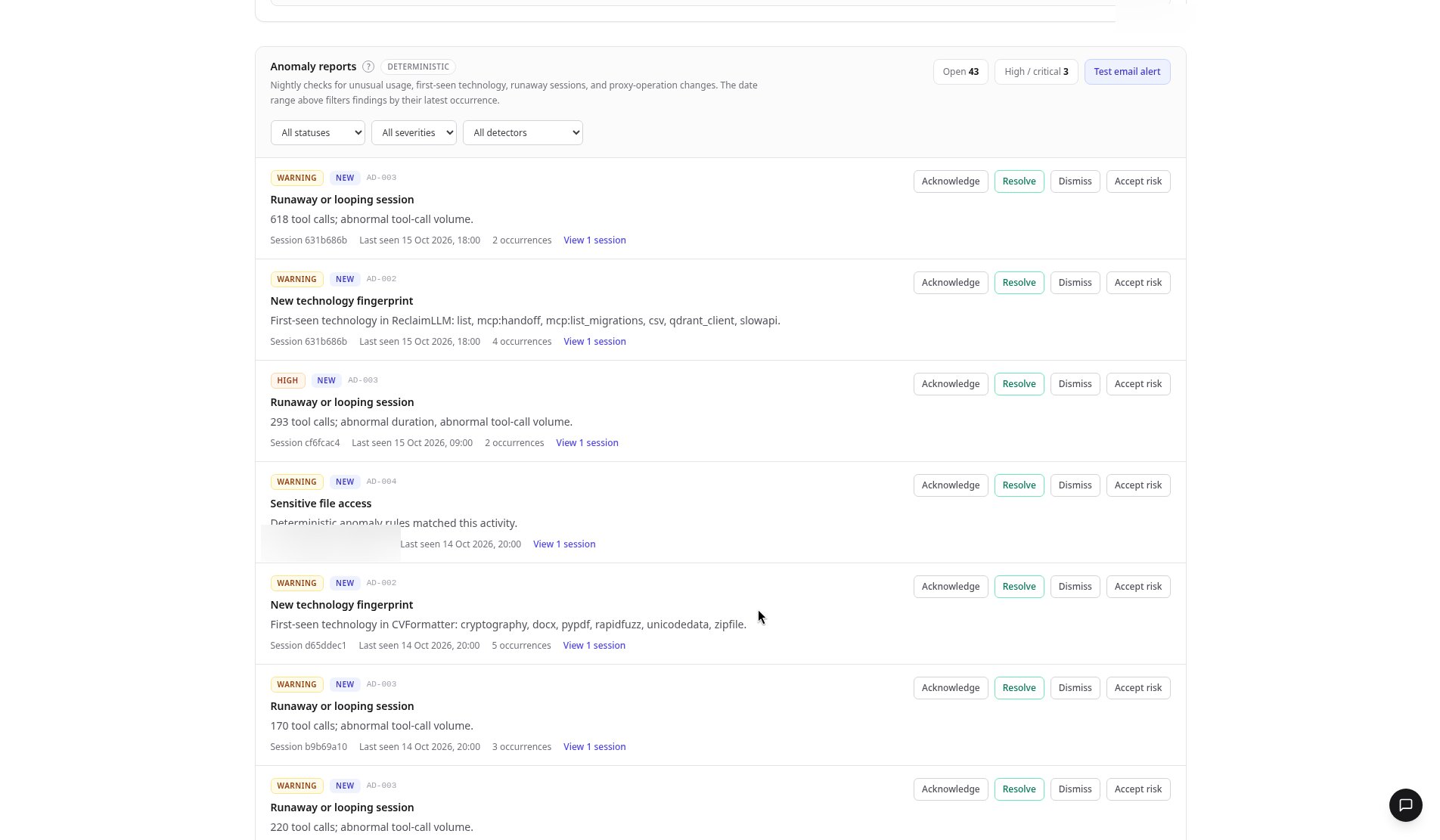
    In **Anomaly reports**, filter by status, severity, or detector. Filter to **High** severity to triage what matters first.
  </Step>

  <Step title="Look up an anomaly code">
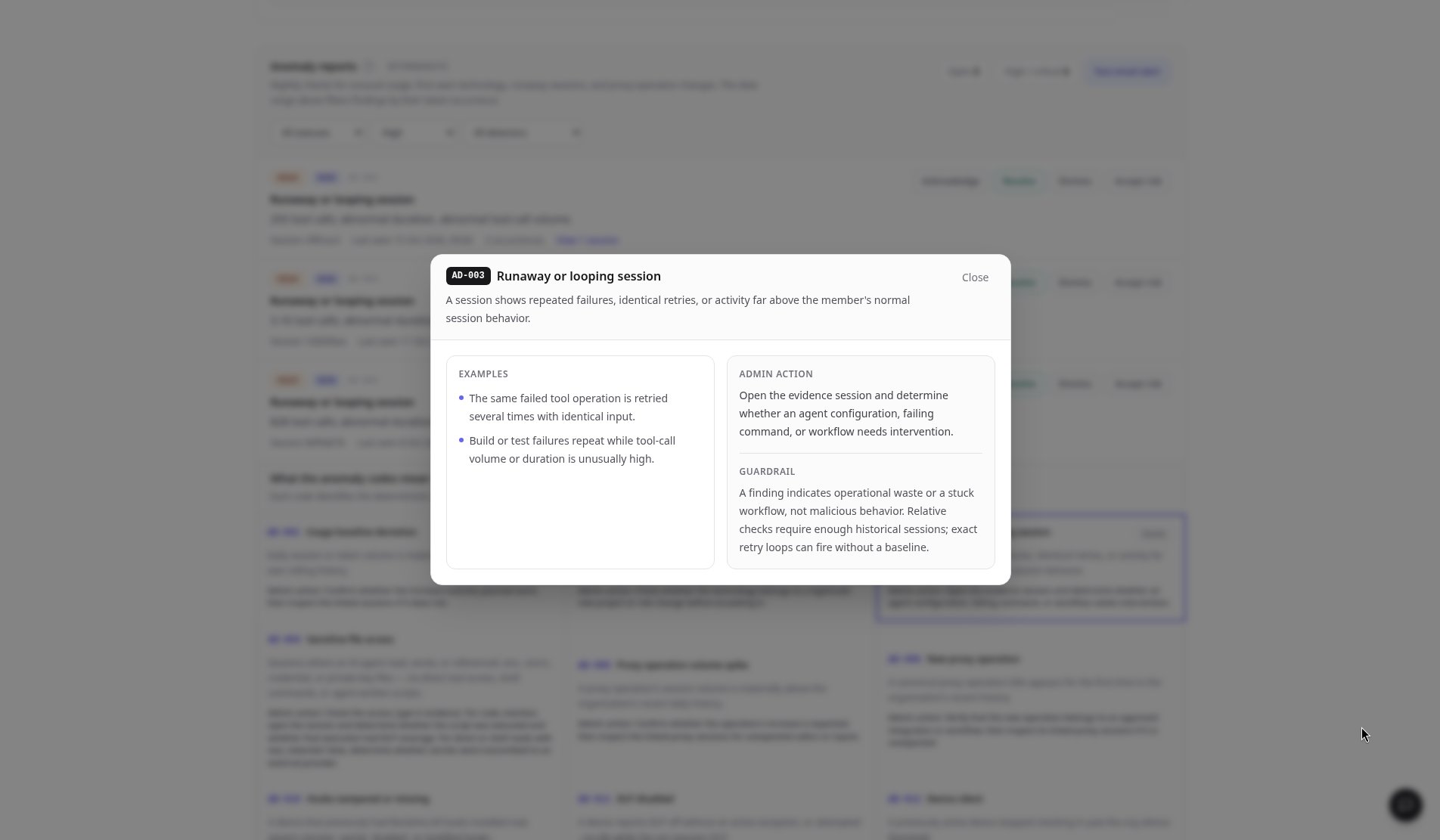
    Open any code in **What the anomaly codes mean** (AD-001 to AD-012). Each explains what it looks like, what an admin should do, and the guardrail to set.
  </Step>

  <Step title="Open the evidence">
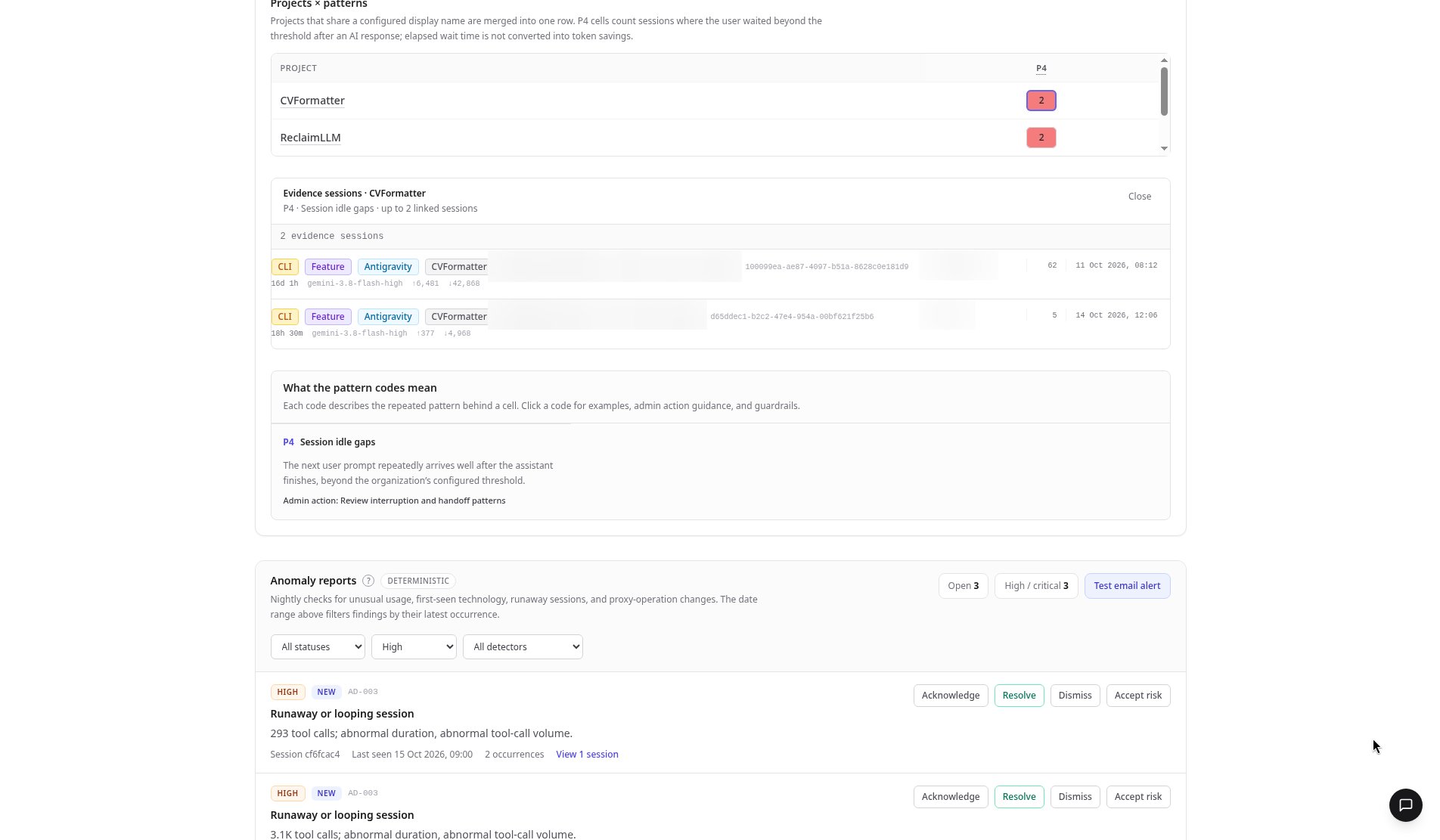
    Click a matrix cell to jump to the evidence sessions behind it.
  </Step>

  <Step title="Act on each finding">
    Acknowledge, Resolve, Dismiss, or Accept risk on each report.
  </Step>
</Steps>

<Frame>
  <img src="https://mintcdn.com/rclm/WtR7t-MmlL9aspx4/images/admin/signals/01-header-signals-overview.png?fit=max&auto=format&n=WtR7t-MmlL9aspx4&q=85&s=88f40c51f94ef9ff72e8c6431d297644" alt="Signals overview for the last 30 days with the three-step workflow, users table and Projects by patterns matrix, names blurred" width="1904" height="1111" data-path="images/admin/signals/01-header-signals-overview.png" />
</Frame>

<Frame>
  <img src="https://mintcdn.com/rclm/WtR7t-MmlL9aspx4/images/admin/signals/02-anomaly-reports-filters.png?fit=max&auto=format&n=WtR7t-MmlL9aspx4&q=85&s=3e7d5ba7ee3fe24d26d43ab56d66491f" alt="Anomaly reports list with status, severity and detector filters and Acknowledge, Resolve, Dismiss and Accept risk actions" width="1904" height="1111" data-path="images/admin/signals/02-anomaly-reports-filters.png" />
</Frame>

<Frame>
  <img src="https://mintcdn.com/rclm/WtR7t-MmlL9aspx4/images/admin/signals/04-ad003-code-detail.png?fit=max&auto=format&n=WtR7t-MmlL9aspx4&q=85&s=40bd10dbd2bc8a89bab0640c2e8f5838" alt="AD-003 Runaway or looping session code detail with examples, admin action and guardrail" width="1904" height="1111" data-path="images/admin/signals/04-ad003-code-detail.png" />
</Frame>

<Frame>
  <img src="https://mintcdn.com/rclm/WtR7t-MmlL9aspx4/images/admin/signals/05-p4-evidence-sessions-expanded.png?fit=max&auto=format&n=WtR7t-MmlL9aspx4&q=85&s=0d3701226cf9b0fa95aa64ec48ec99f3" alt="Projects by patterns cell expanded to its evidence sessions with the Session idle gaps explanation" width="1904" height="1111" data-path="images/admin/signals/05-p4-evidence-sessions-expanded.png" />
</Frame>

## FAQ

<AccordionGroup>
  <Accordion title="What does AD-003 mean?">
    AD-003 is a runaway or looping session. The code detail explains what it looks like, the admin action, and the guardrail to set.
  </Accordion>

  <Accordion title="How do I see only the most important findings?">
    Filter Anomaly reports to High severity, then work through them with Acknowledge, Resolve, Dismiss, or Accept risk.
  </Accordion>

  <Accordion title="Can I get from a pattern to the actual sessions?">
    Yes. Click any cell in the Projects × patterns matrix to open the evidence sessions behind it.
  </Accordion>
</AccordionGroup>

## Related

* Reference: [Signals tab](/enterprise/dashboard/signals)
* Product: [Enterprise observability](https://reclaimllm.com/features/enterprise-observability)


This documentation is built and hosted on [Mintlify](https://mintlify.com), a developer documentation platform.